
Cancelling a ticket is for fixing a typing mistake: a ticket rung up by error, twice, or as a test. The sale leaves your figures and its products go back into stock. You can do it at the till as long as the ticket is not in a Z closing, and from the back office at any time.
Video coming soon
1At the till, open "My tickets"
Open the ☰ menu at the top left, then My tickets. The list shows today's tickets from your current session.
2Tap "Cancel this ticket"
Under the ticket in question, tap Cancel this ticket. A PIN field appears, already filled in with your code.
- You are the manager or the owner: tap Confirm.
- You are a cashier: clear your code and ask the manager or the owner to type theirs.
The till confirms the cancellation, and the ticket shows crossed out, marked Cancelled.

Important — The till refuses a ticket that is already counted in a Z closing. Cancel it from the back office instead, as shown below.
3In the back office, find the ticket
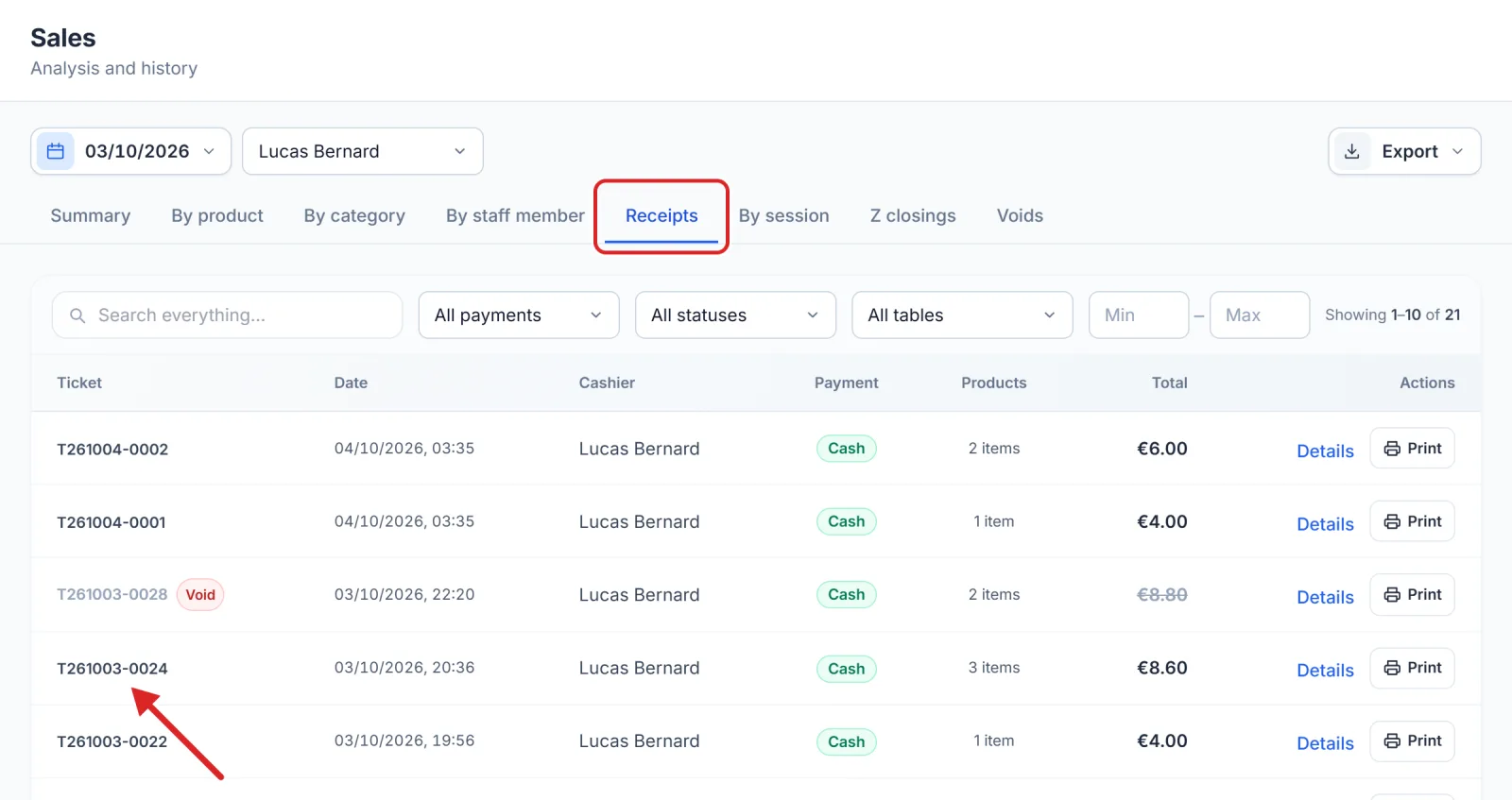
Open Activity › Sales, Receipts tab. Pick the period, search for the number, then click the ticket's line, or its Details button: its details open on the right.
4Click "Void receipt"
At the bottom of the details, click Void receipt. A window asks you to confirm. The Reason (optional) says what happened: Typing mistake, Duplicate receipt or Test receipt. Confirm with Void receipt, or step back with Back.
This button only shows for people who have the right to void a paid ticket. That right is set in Team › Roles.

What a cancellation changes, even after a Z closing
Cancelling moves no money: this ticket should never have existed. So:
- the sale leaves Sales and the dashboard right away;
- its products go back into stock;
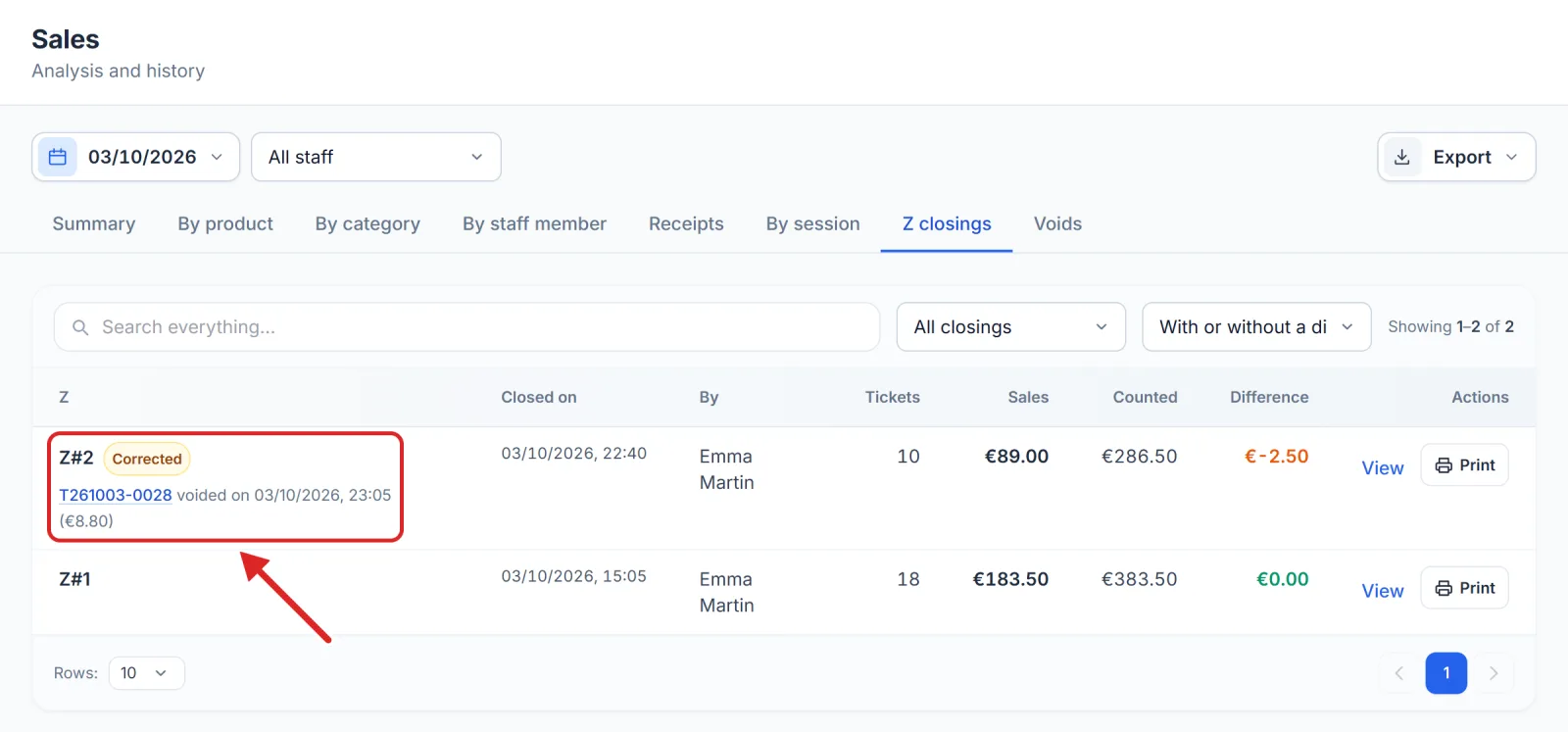
- the Z closing that had counted it keeps its figures, those of the printed report and the counted drawer. In the Z closings tab it is marked Corrected, with the cancelled ticket listed just below;
- the next closing does not take it into account.
Important — A cancellation is final. On the Starter plan, only the tickets of the last 30 days can be viewed, and so cancelled.
Tip — To review cancelled tickets, pick Voided in the status filter, or open the Voids tab of the same screen.
A restaurant table that has not been paid yet is not a ticket: you free it from the till with Cancel the table.